Set up your Lodestones
On your phone
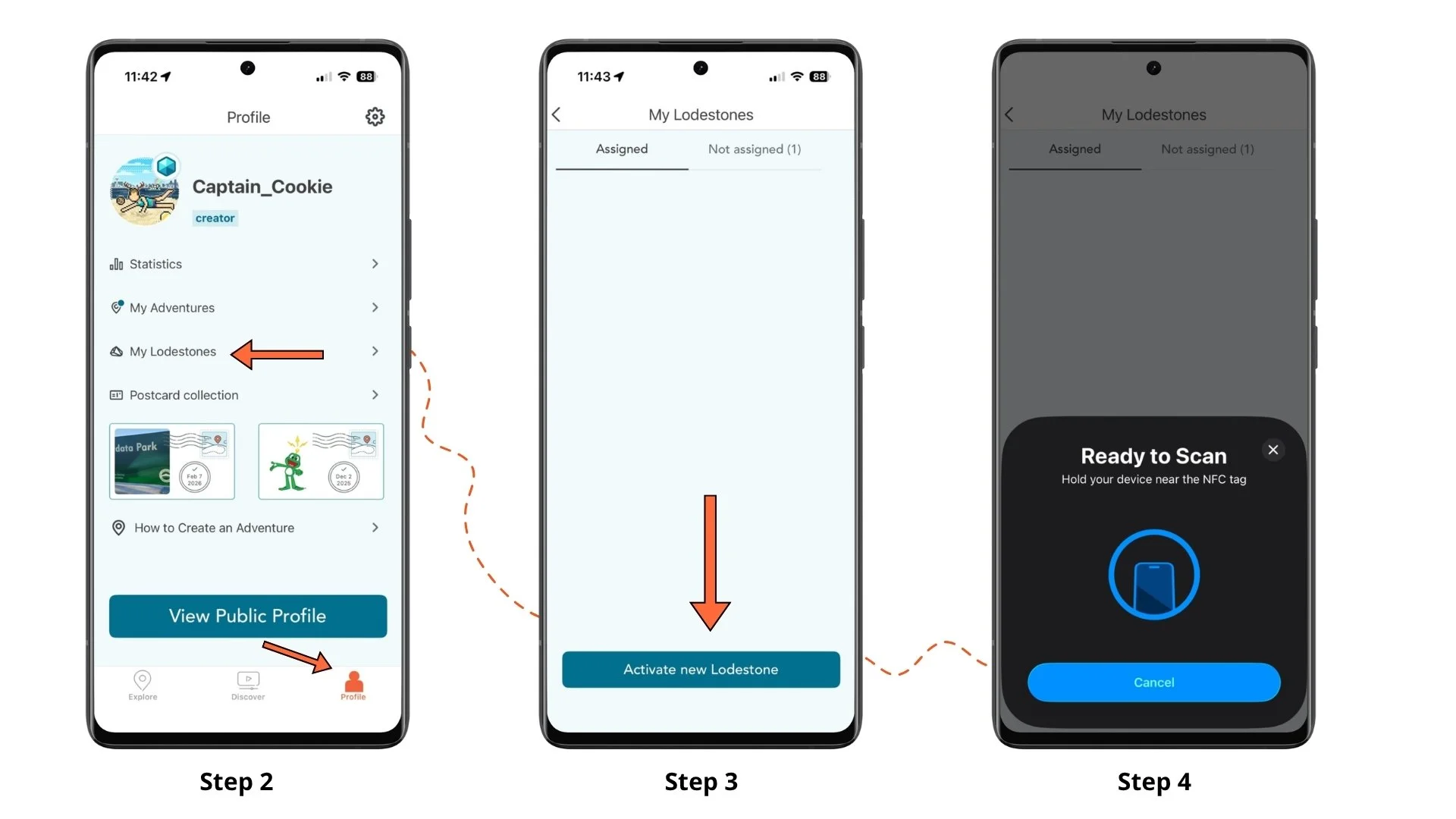
1. Open the Adventure Lab® app.
Note: Make sure you are logged into the account that was granted your
Lodestone-enabled credits.
2. Select Profile, then My Lodestones.
3. Select Activate new Lodestone.
4. Tap your phone to the Lodestone to scan it with NFC.
5. Select the pencil icon to give the Lodestone a custom name.
On your computer
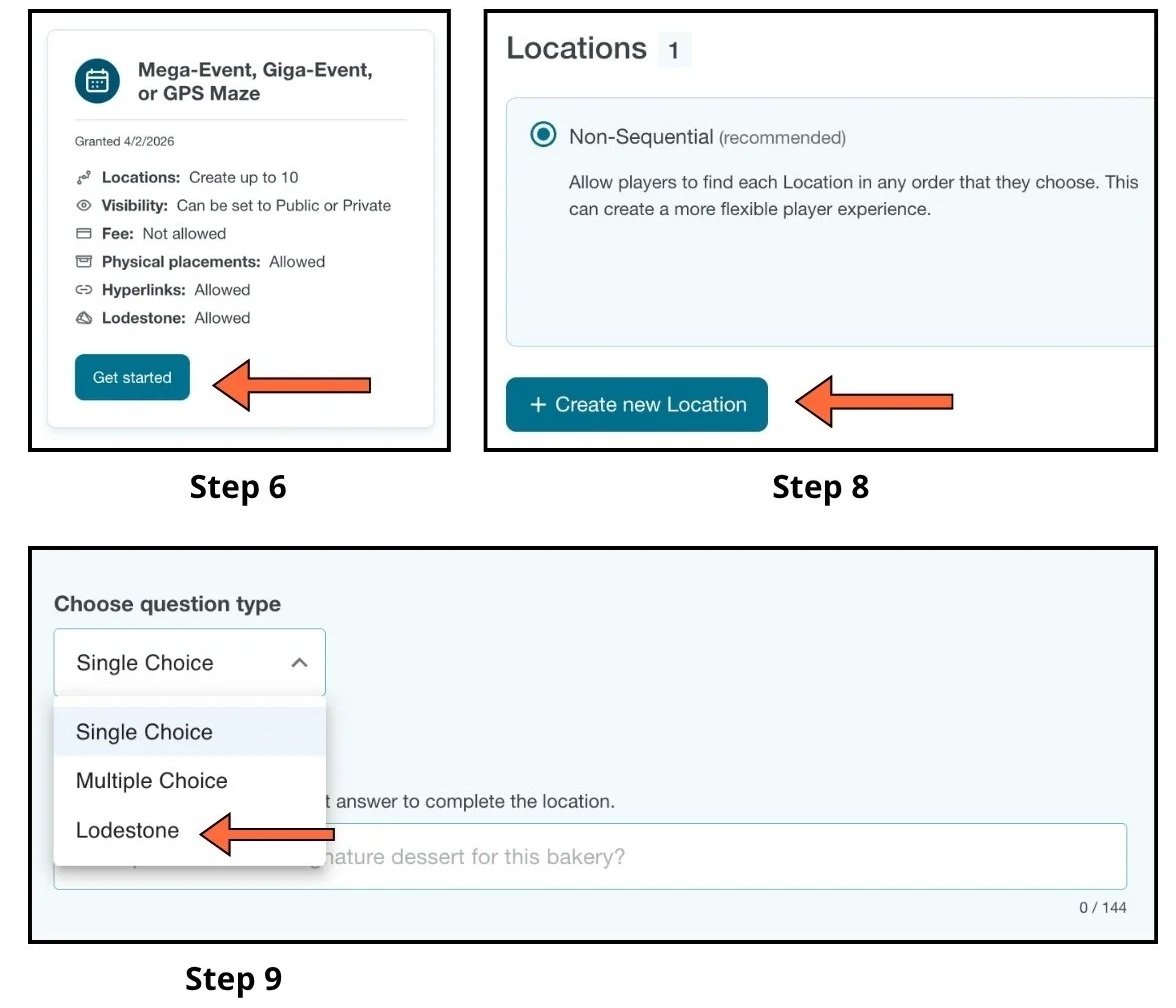
6. Open the Adventure Lab® builder and select a credit that allows Lodestone.
7. Enter your Adventure details and save your draft Adventure.
8. Select + Create new Location and add details.
9. Under Choose question type, select Lodestone.
10. Under Assign Lodestone, select the Lodestone to assign to the Location.
11. Repeat for each Lodestone-enabled Location.